USB Panel Mount Connector Manufacturer
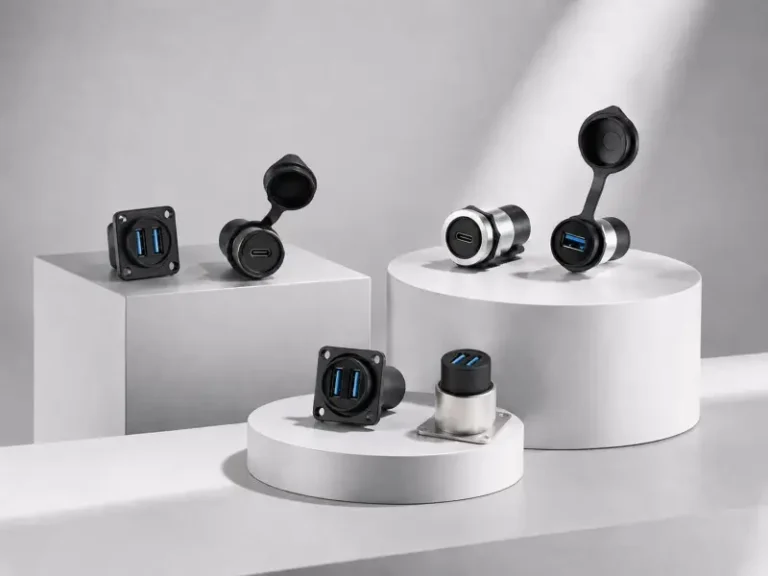
Because equipment panels need stable external access without exposing internal wiring, Verchil supplies for industrial PCs, control cabinets, kiosks, AV racks, vehicle dashboards, outdoor enclosures, and custom equipment panels. The range includes USB 3.0 panel mount sockets, USB Type-C panel mount connectors, dual-port USB adapters, USB-to-Type-C feedthrough couplers, and OEM/ODM panel mount solutions.
What Is a USB Panel Mount Connector?
A USB panel mount connector is a fixed USB interface installed through a metal panel, plastic enclosure, rack plate, control cabinet, or equipment chassis. Because the connector is locked to the panel, it transfers plugging stress to the enclosure instead of the internal PCB or cable, creating a cleaner and more serviceable external USB port.
Unlike a loose USB extension cable, a panel-mounted USB socket provides a stable access point for data transfer, device programming, charging, diagnostics, and field maintenance. For a broader category comparison, view Verchil’s network connector range.
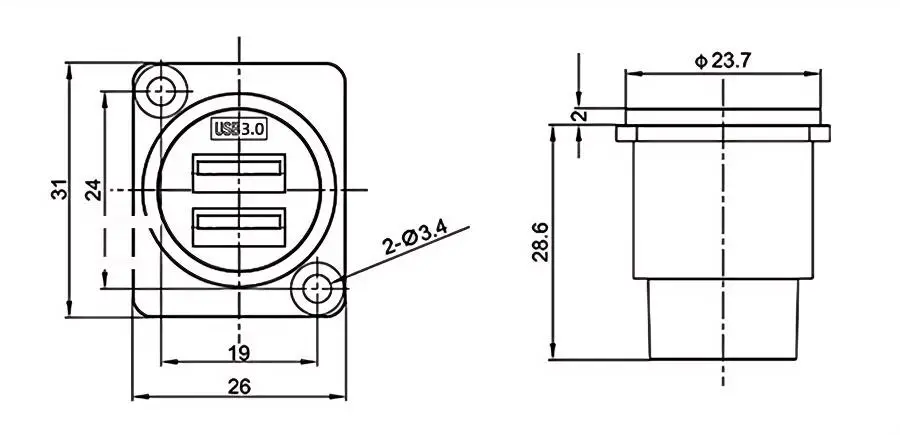
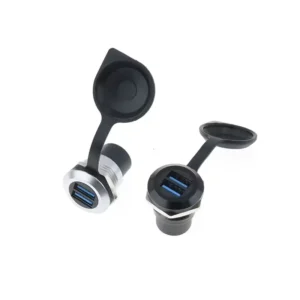
Dual Ports USB 3.0 Panel Mount

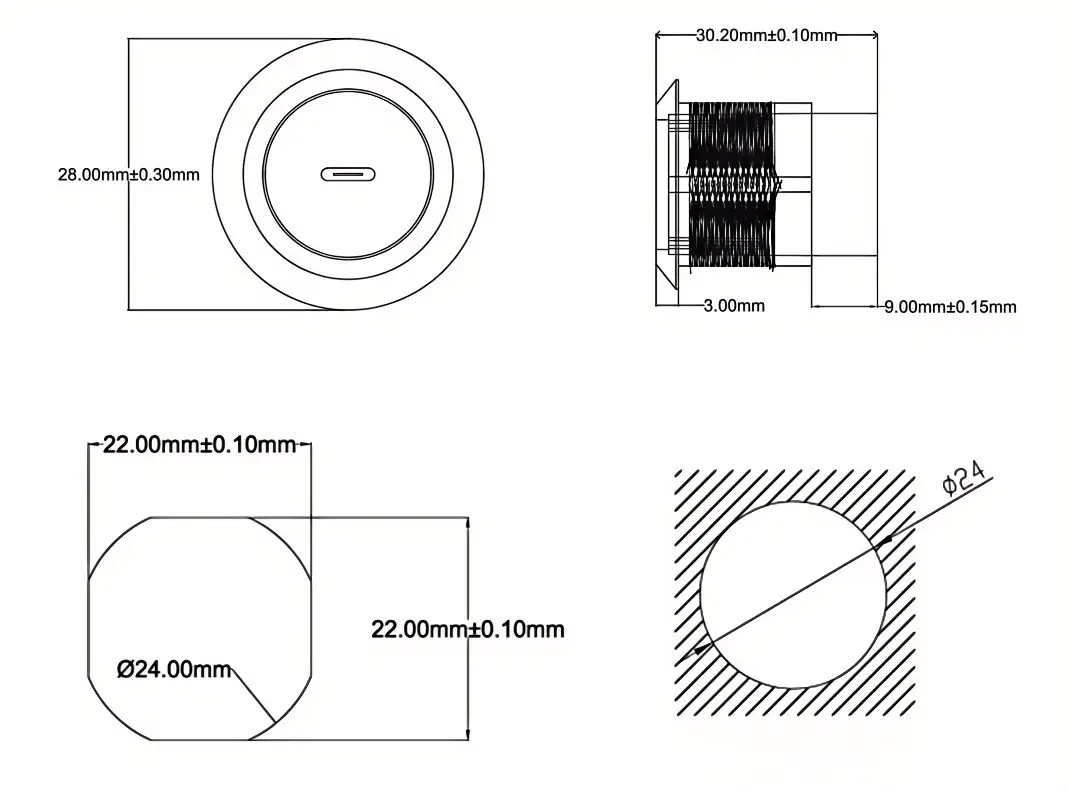
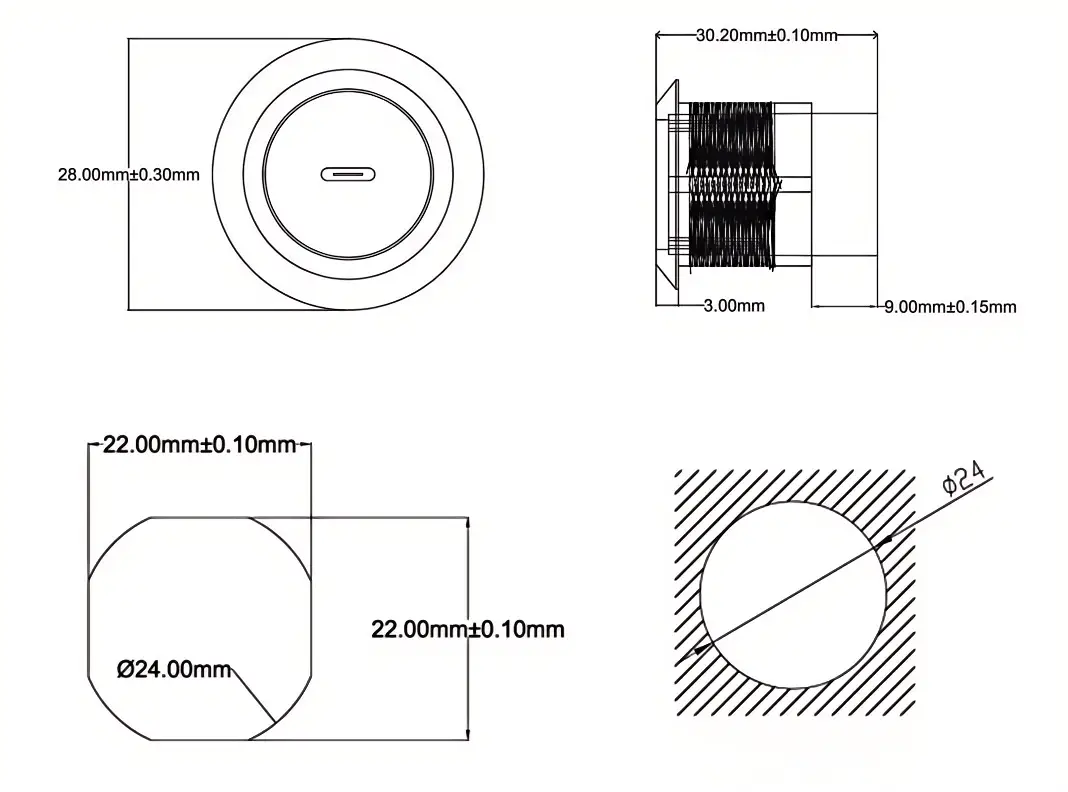
Circular USB3.0 Connector
Dual Ports USB 3.0 Panel Screw Mounted Socket Female to Female Coupler
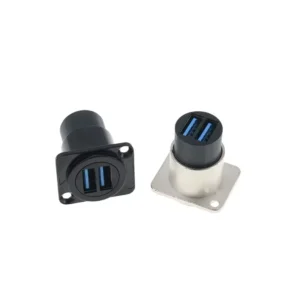
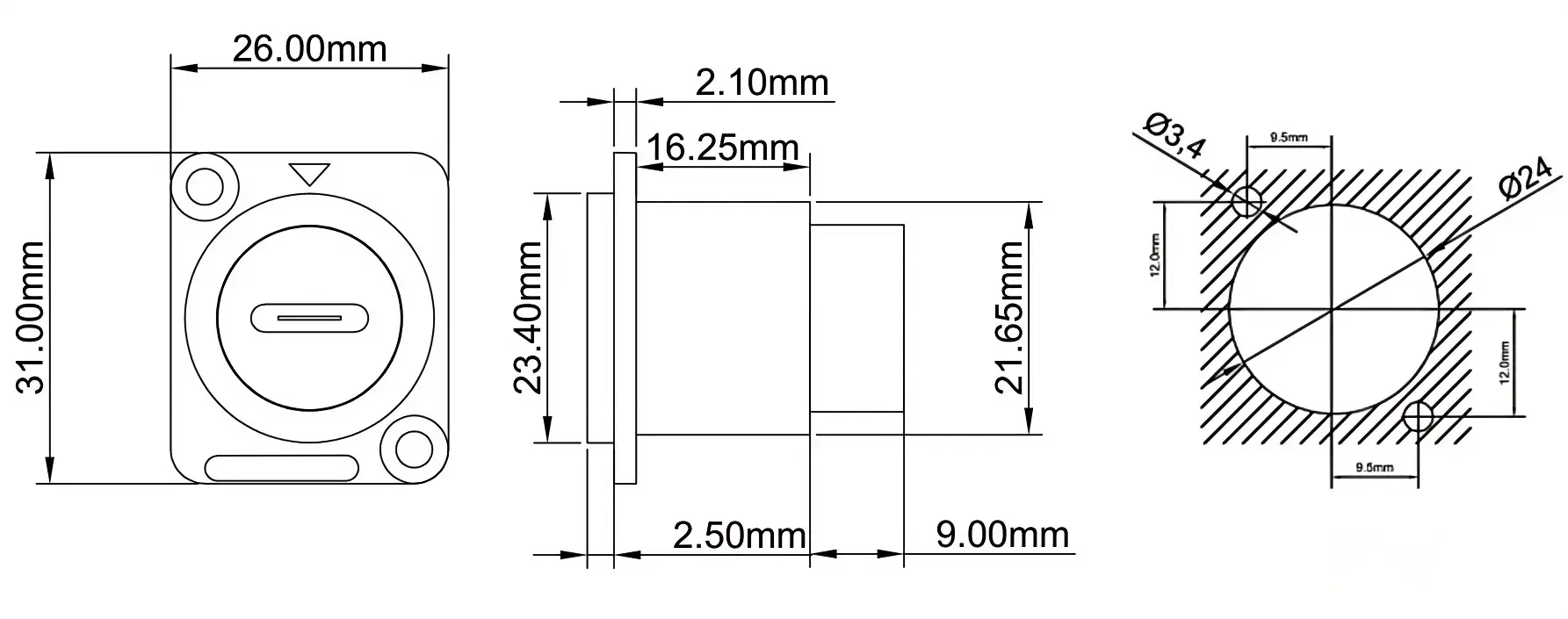
D Type USB3.0 Square Connector
Dual Ports USB 3.0 Panel Screw Mounted Socket Female to Female Coupler
| Parameter | Specification |
|---|---|
| Connectivity & Performance | |
| Interface | Dual USB 3.0 (SuperSpeed) |
| Mounting Type | Screw, Panel Mount |
| Protection Class | IP65 Waterproof |
| Durability | > 500 Mating Cycles |
| Insulation Resistance | > 500 MΩ |
| Material Specifications | |
| Shell Material | Zinc Diecast (Metal Flange) |
| Contact Material | Bronze (Au / Gold Plated) |
| Insulator | PBTP |
| Available Colors | Black, Silver |
| Environmental Data | |
| Temperature Range | -40 °C to +85 °C |
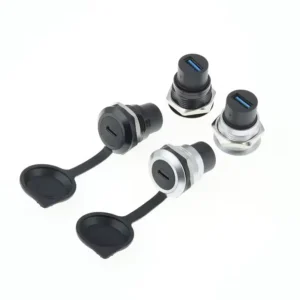
Type C Panel Mount

Circular Female to Female Bulkhead Extension Adapter
Type C Fixed Panel Mount Coupler Socket
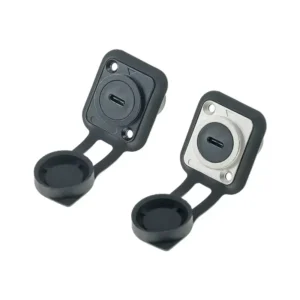
D type Female to Female Bulkhead Extension Adapter
Type C Fixed Panel Mount Coupler Square Socket
| Parameter | Specification |
|---|---|
| Connectivity & Protection | |
| Interface | USB Type-C (Reversible) |
| Protection Class | IP65 Waterproof |
| Mounting Type | Screw, Panel Mount |
| Durability | > 500 Mating Cycles |
| Insulation Resistance | > 500 MΩ |
| Material Specifications | |
| Shell Material | Zinc Diecast (Metal Flange) |
| Contact Material | Bronze (Au / Gold Plated) |
| Insulator | PBTP |
| Available Colors | Black, Silver |
| Environmental Data | |
| Temperature Range | -40 °C to +85 °C |
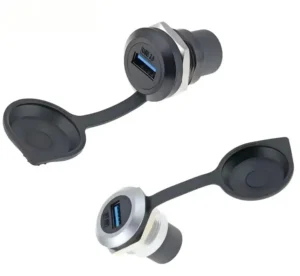
Type C to USB 3.0 Socket Panel Mount

Circular Female to Female Chassis Converter Docking
Type C to USB 3.0 Socket Fixed Panel Mount Coupler
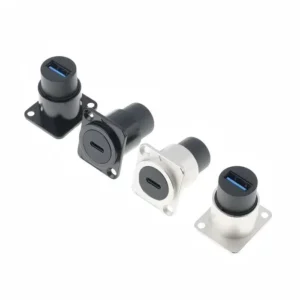
D type Female to Female Chassis Converter Docking
Type C to USB 3.0 Socket Fixed Panel Mount Coupler
| Parameter | Specification |
|---|---|
| Interface & Performance | |
| Interface Type | Type-C to USB 3.0 (Feedthrough) |
| Protection Class | IP65 Waterproof |
| Mounting Type | Screw, Panel Mount |
| Durability | > 500 Mating Cycles |
| Insulation Resistance | > 500 MΩ |
| Material Specifications | |
| Shell Material | Zinc Diecast (Metal Flange) |
| Contact Material | Bronze (Au / Gold Plated) |
| Insulator | PBTP |
| Available Colors | Black, Silver |
| Environmental Data | |
| Temperature Range | -40 °C to +85 °C |
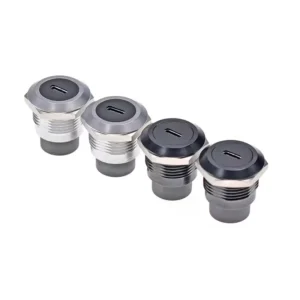
USB 3.0 Socket Panel Mount

USB 3.0 Socket Circular Fixed Flush Mount Adapter
High Speed Data Transfer Compatible with USB Devices
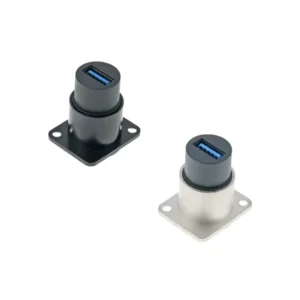
USB 3.0 Socket D Type Fixed Flush Mount Adapter
High Speed Data Transfer Compatible with USB Devices
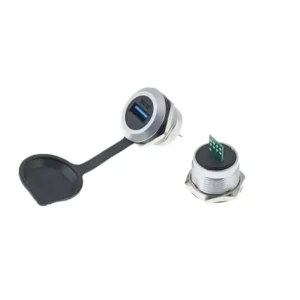
| Parameter | Specification |
|---|---|
| Connectivity & Performance | |
| Interface | USB 3.0 (SuperSpeed) |
| Protection Class | IP65 Waterproof |
| Mounting Type | Screw, Panel Mount |
| Durability | > 500 Mating Cycles |
| Insulation Resistance | > 500 MΩ |
| Material Specifications | |
| Shell Material | Zinc Diecast (Metal Flange) |
| Contact Material | Bronze (Au / Gold Plated) |
| Insulator | PBTP |
| Available Colors | Black, Silver |
| Environmental Data | |
| Temperature Range | -40 °C to +85 °C |
USB3.0 to PCB Board Socket Panel Mount

USB 3.0 to PCB Circular Board Socket
Fixed Panel Mount Coupler Converter Docking

USB3.0 to PCB D type Board Socket
Fixed Panel Mount Coupler Converter Docking
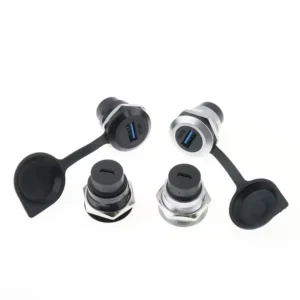
| Parameter | Specification |
|---|---|
| Connectivity & Mounting | |
| Interface Type | USB 3.0 to PCB Board |
| Protection Class | IP65 Waterproof |
| Mounting Type | Screw, Panel Mount |
| Durability | > 500 Mating Cycles |
| Insulation Resistance | > 500 MΩ |
| Material Specifications | |
| Shell Material | Zinc Diecast (Metal Flange) |
| Contact Material | Bronze (Au / Gold Plated) |
| Insulator | PBTP |
| Available Colors | Black, Silver |
| Environmental Data | |
| Temperature Range | -40 °C to +85 °C |
USB 3.0 to Type C Socket Panel Mount

Circular USB 3.0 to Type C Socket Fixed Panel Mount Coupler
Female to Female Chassis Converter Docking
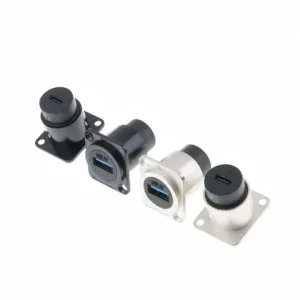
D type USB 3.0 to Type C Socket Fixed Panel Mount Coupler
Female to Female Chassis Converter Docking
| Parameter | Specification |
|---|---|
| Interface & Performance | |
| Interface Type | USB 3.0 to Type-C (Feedthrough) |
| Protection Class | IP65 Waterproof |
| Mounting Type | Screw, Panel Mount |
| Durability | > 500 Mating Cycles |
| Insulation Resistance | > 500 MΩ |
| Material Specifications | |
| Shell Material | Zinc Diecast (Metal Flange) |
| Contact Material | Bronze (Au / Gold Plated) |
| Insulator | PBTP |
| Available Colors | Black, Silver |
| Environmental Data | |
| Temperature Range | -40 °C to +85 °C |

Verchil USB Panel Mount Advantages
Precision manufacturing: Each USB Panel Mount is carefully fabricated with corrosion-resistant gold-plated contacts and precision insulating materials to ensure low-latency high-speed transmission and excellent durability.
Rigorous testing: Each USB Panel Mount is subjected to rigorous data integrity and plug-in life testing to eliminate connection errors and ensure consistent performance of the final product.

Your Trusted USB Panel Mount Factory In China
When you choose Verchil as the supplier of USB Panel Mount, you are working with a company dedicated to providing excellent products and services.
Reasonable price, strong manufacturing capacity, reliable quality and fast delivery time make us a trusted partner for global enterprises.
USB 2.0 vs USB 3.0 vs USB Type-C Panel Mount
Because USB versions differ in data rate, power capability, connector shape, and device compatibility, the panel mount connector should match the equipment function instead of only matching the opening size.
| Type | Typical Data Rate | Best Use | When to Choose |
|---|---|---|---|
| USB 2.0 Panel Mount | 480 Mbps Hi-Speed | Keyboard, mouse, printer, simple programming port, low-speed peripherals | Choose it when the port only needs basic data access and cost control. |
| USB 3.0 Panel Mount | 5 Gbps SuperSpeed | Industrial cameras, portable storage, diagnostic tools, high-speed data transfer | Choose it when the equipment needs faster data exchange or future device compatibility. |
| USB Type-C Panel Mount | Depends on USB protocol and cable assembly | Modern laptops, embedded devices, charging panels, compact control interfaces | Choose it when reversible plug orientation, compact design, and modern device support matter. |
| USB 3.0 to Type-C Panel Mount | Subject to connector and cable design | Mixed USB-A and USB-C environments | Choose it when your external user interface and internal device connector are different. |
For more details about high-speed USB panel interfaces, read Verchil’s USB 3.0 panel mount guide and USB-C panel mount guide.
How to Choose the Right USB Panel Mount Connector
To choose the correct USB panel mount connector, start with the device function and installation environment. The USB version, connector shape, panel cutout, cable direction, waterproof rating, and mating frequency should all match the final equipment design.
- Confirm the USB version. For basic peripherals, USB 2.0 may be enough. For industrial cameras, data logging, portable storage, and faster diagnostics, USB 3.0 or USB Type-C is usually more suitable.
- Choose the connector interface. Select USB-A, USB Type-C, dual-port USB, USB-to-Type-C, or USB-to-PCB according to the external user device and internal connection method.
- Check the mounting structure. For standard equipment panels, D-type square mount and circular screw mount structures are easy to install and replace.
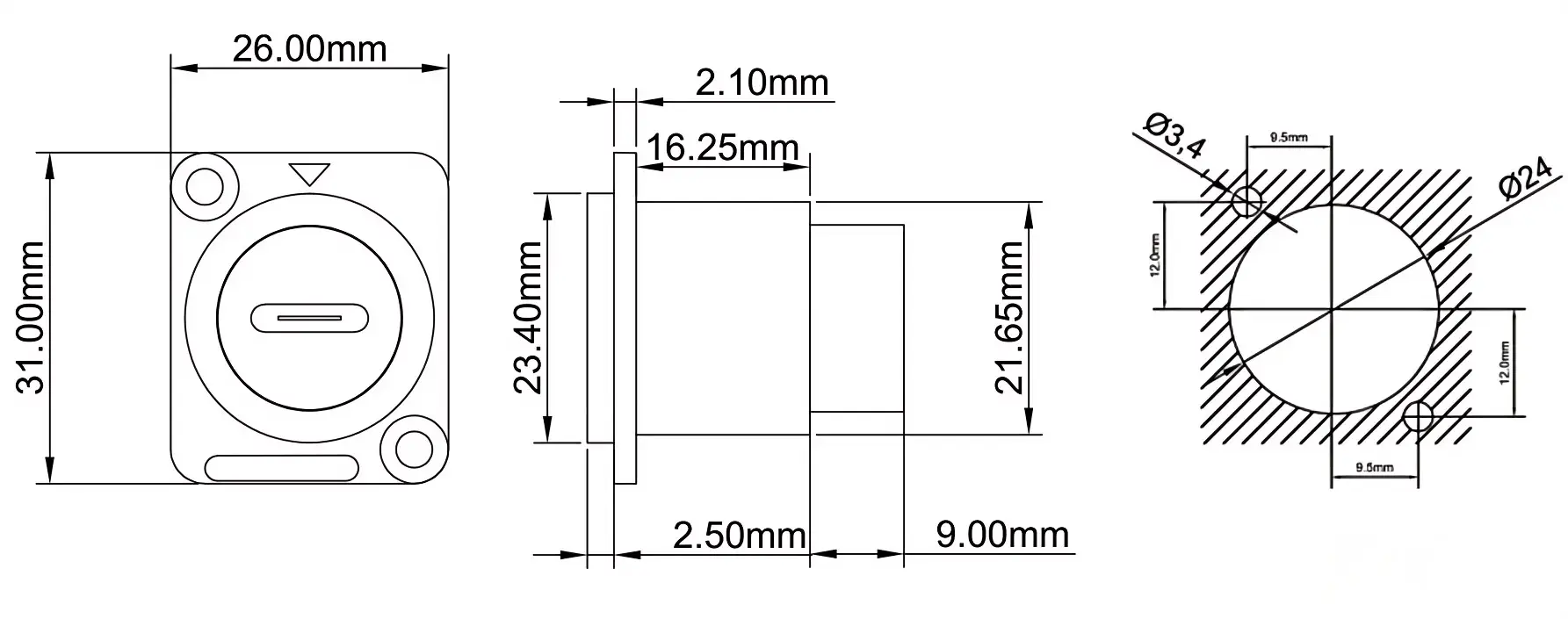
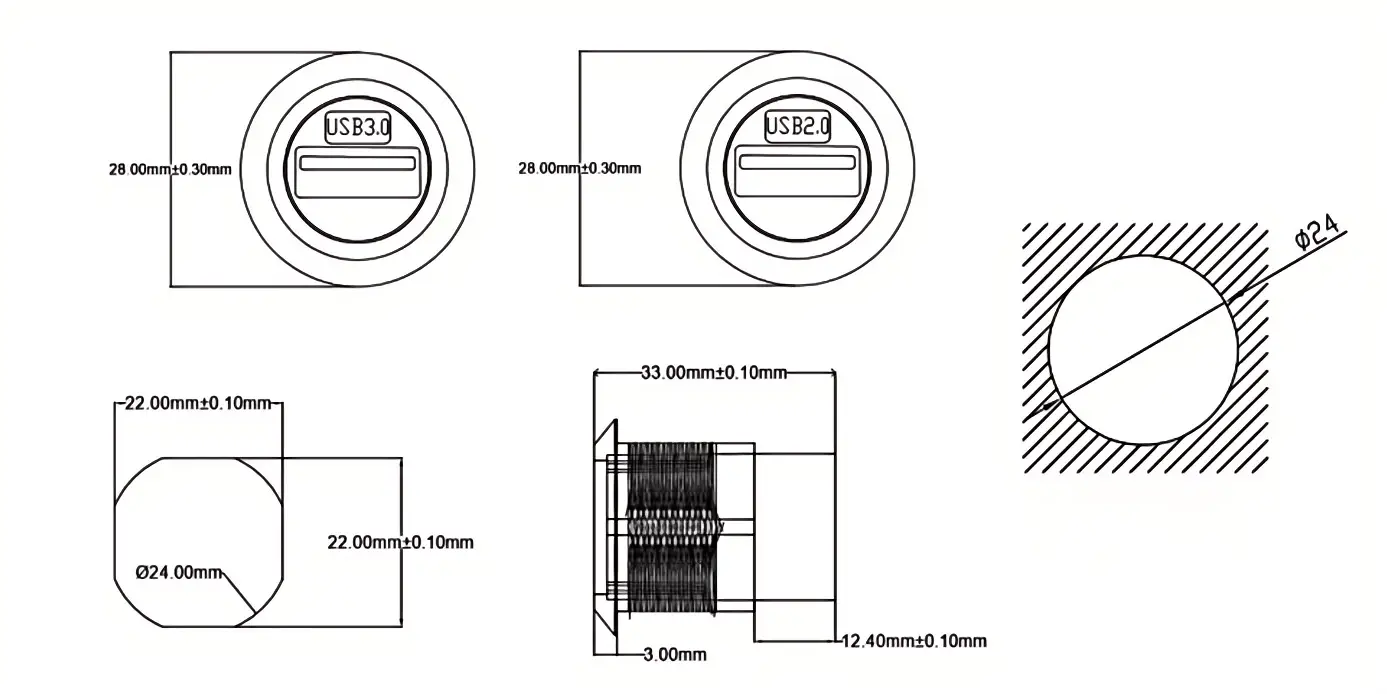
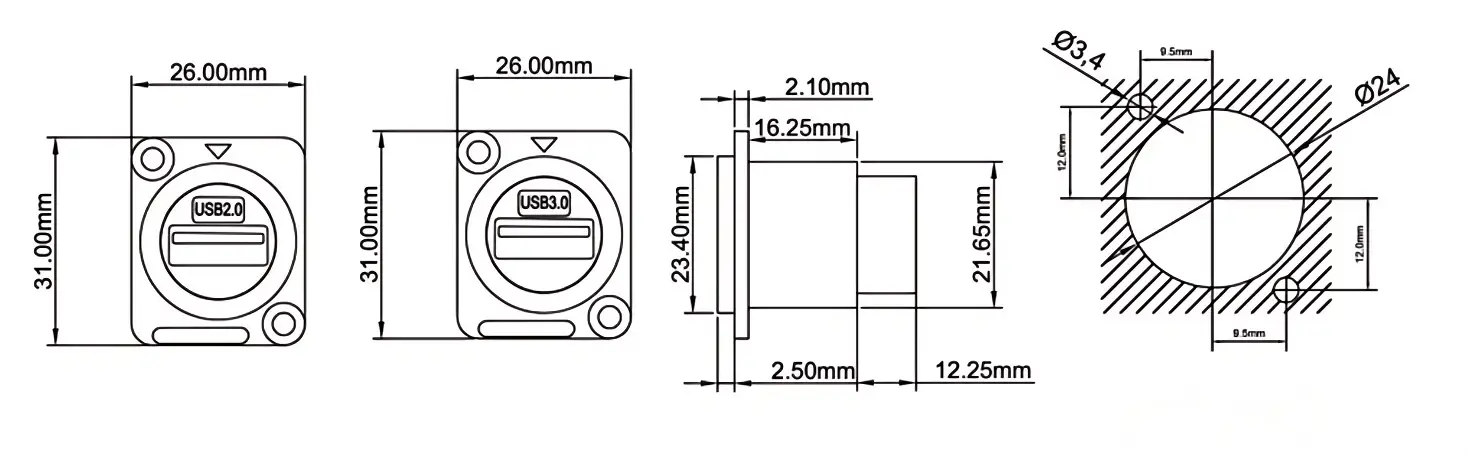
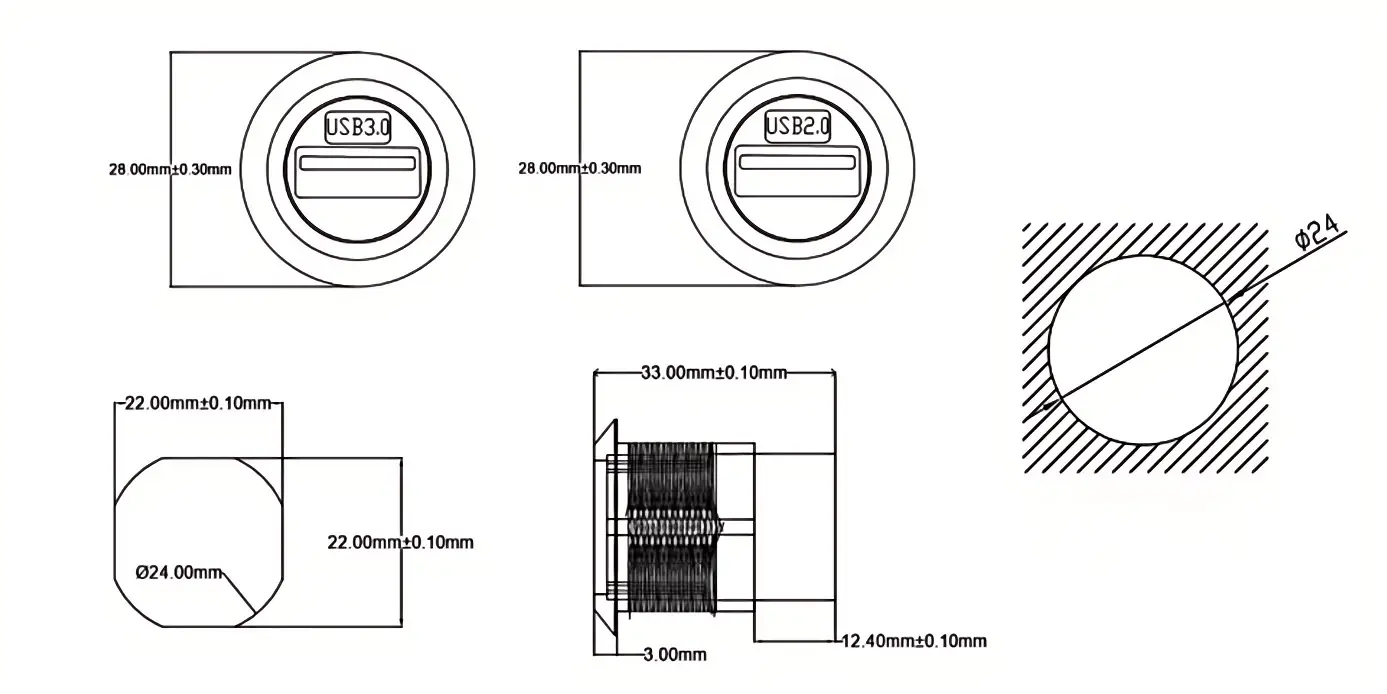
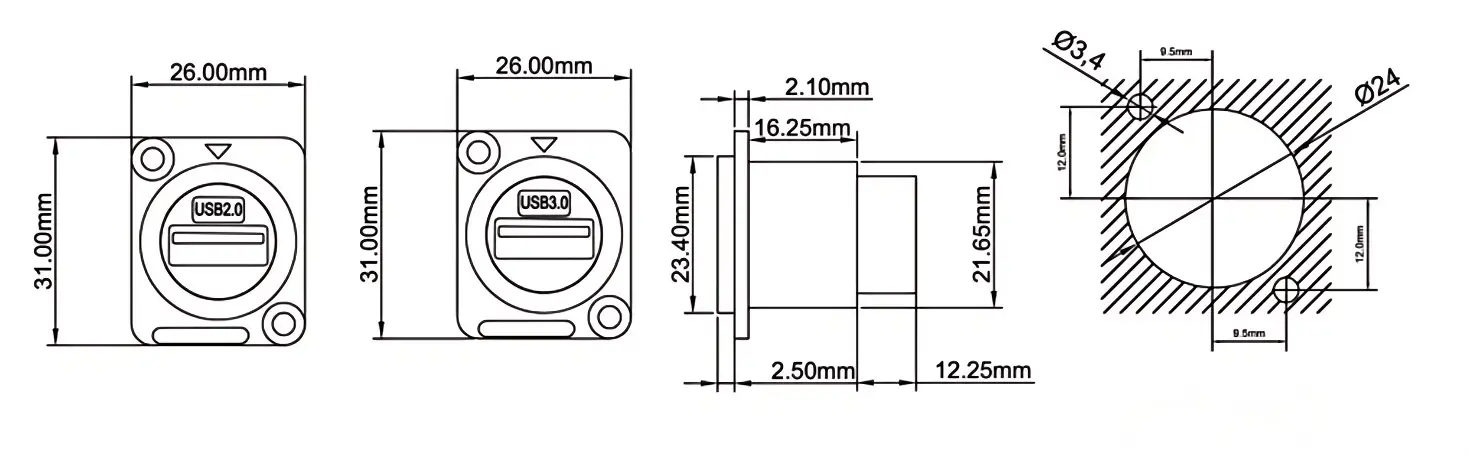
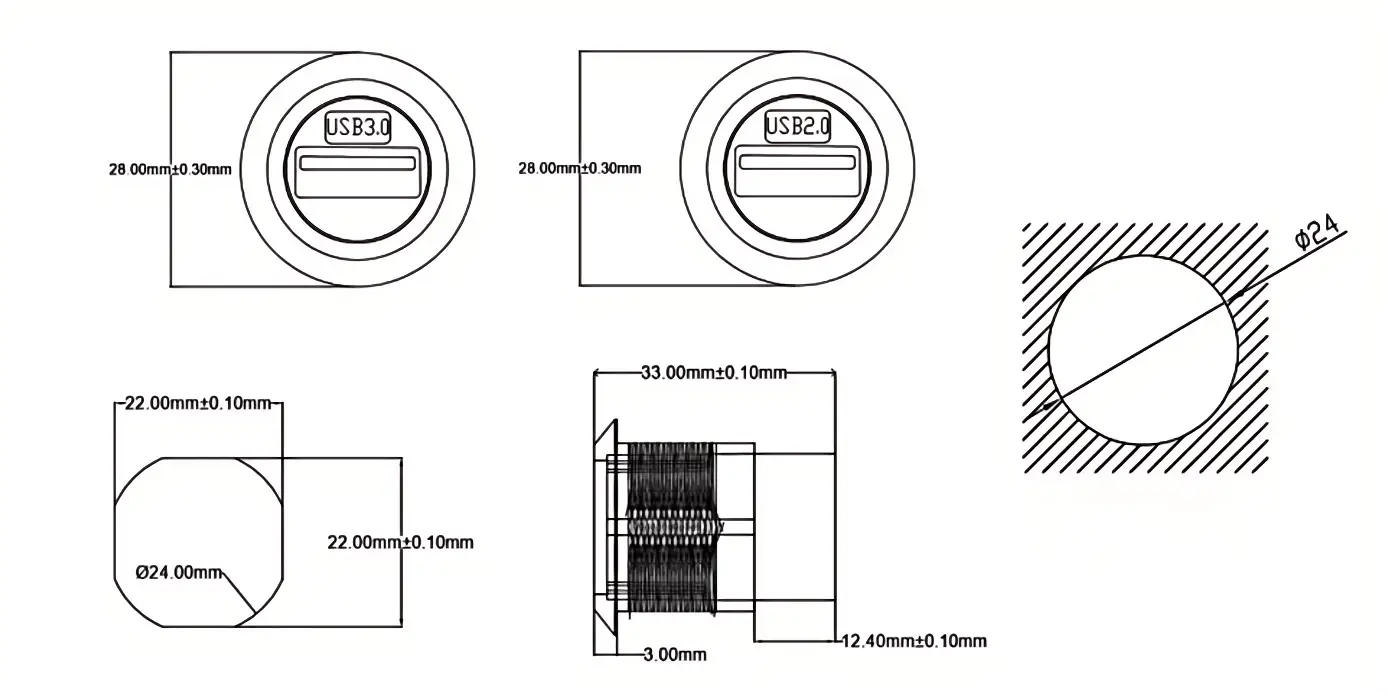
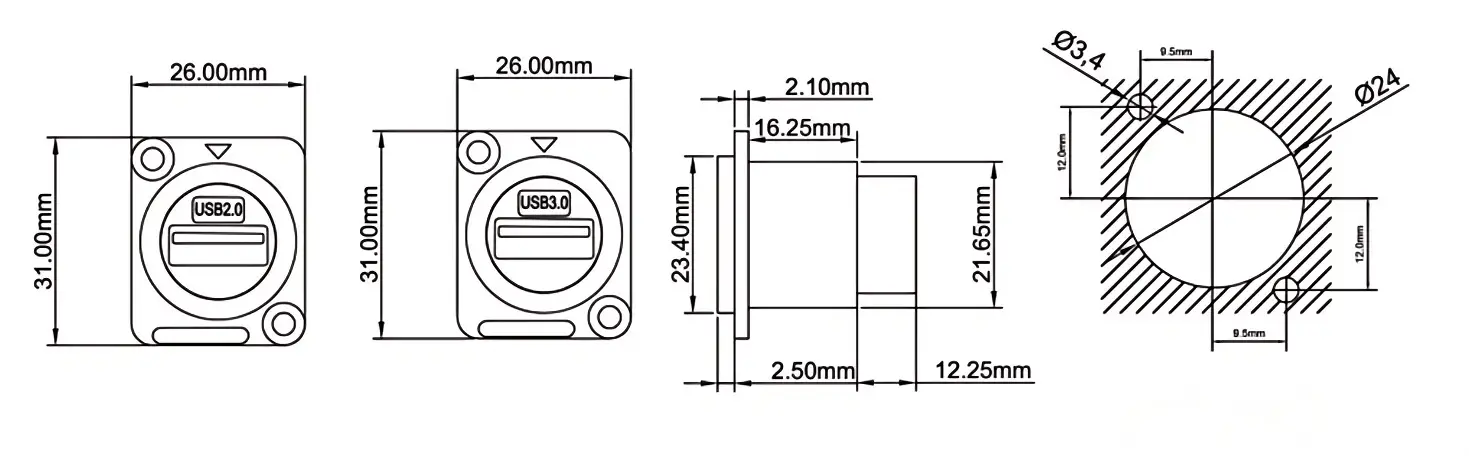
- Confirm panel cutout and thickness. Before drilling or punching, check the drawing and confirm whether the housing, nut, gasket, and rear connector have enough space.
- Review the environment. For indoor equipment, a standard panel mount USB socket may be enough. For outdoor cabinets, kiosks, vehicles, or wet areas, choose a waterproof USB panel mount connector with a protective cap.
- Check cable and signal path. For USB 3.0 and USB Type-C connections, use the correct internal cable assembly to avoid speed drop, unstable recognition, or intermittent disconnection.
- Confirm customization needs. If the project needs logo marking, special cable length, custom packaging, or a modified panel structure, confirm OEM/ODM details before mass production.
If your project involves outdoor equipment, review Verchil’s waterproof connector types and IP ratings guide before selecting the final protection structure.
Where USB Panel Mount Connectors Are Used
Because USB panel mount connectors bring the USB interface to the outside of the equipment, they are useful wherever technicians, operators, or users need direct access without opening the enclosure.
| Application | Why USB Panel Mount Works |
|---|---|
| Industrial Control Cabinets | Allows PLC programming, HMI updates, and data logging without opening the cabinet door. |
| Industrial PCs and Embedded Computers | Provides a fixed front-panel USB port for maintenance, backup, keyboard, mouse, or diagnostic tools. |
| Kiosks and POS Terminals | Creates a protected USB access point for service, charging, data transfer, or peripheral connection. |
| Vehicle Dashboards and Marine Panels | Supports charging and data access in vibration-prone or space-limited environments. |
| AV Racks and Broadcast Equipment | Provides convenient USB access for control devices, media files, firmware updates, and peripheral setup. |
| Medical and Test Equipment | Supports data export, device configuration, and external control while keeping the internal system protected. |
| Outdoor Communication Cabinets | When paired with protective covers and proper sealing, USB panel mount connectors can support service access in outdoor enclosures. |
For factory automation projects, see Verchil’s Industrial Automation Connector Solutions. For outdoor cabinets and field equipment, view Verchil’s Communication and Outdoor Equipment Connector Solutions.
USB Panel Mount vs Standard USB Extension Cable
When a USB port is used frequently on a machine, kiosk, rack, or control panel, a fixed USB panel mount connector is usually more suitable than a loose extension cable. The panel mount structure improves mechanical support, appearance, service access, and enclosure protection.
| Item | USB Panel Mount Connector | Standard USB Extension Cable |
|---|---|---|
| Mounting | Fixed to panel with flange, screws, nut, or D-type housing | Loose cable through an opening |
| Mechanical Stress | Transferred to the enclosure or panel | Often transferred to the internal cable or PCB connector |
| Appearance | Clean and flush external interface | Exposed cable, less professional finish |
| Serviceability | Easy external access for technicians and users | May require opening the enclosure or pulling the cable |
| Protection | Can support gasket, cover, and IP-rated design | Usually weak sealing at the opening |
| Best Use | Production equipment, industrial cabinets, kiosks, vehicles, racks | Temporary use, prototypes, low-frequency access |
For more product selection ideas, read Verchil’s USB panel mount types guide.
USB Panel Mount Installation Notes
To reduce connection failure after installation, check the panel cutout, connector direction, internal cable path, and sealing structure before final assembly.
- Confirm the panel cutout drawing before drilling, punching, or CNC machining.
- Remove burrs around the opening to protect the gasket, cable jacket, and connector housing.
- Insert the USB panel mount connector from the correct side of the panel.
- Tighten the screw, nut, or D-type flange without deforming the housing.
- Route the internal USB cable with enough bending space and strain relief.
- Keep the protective cap closed when the port is not in use, especially in dusty or wet environments.
- After installation, test data recognition, charging function, and transmission stability.
- For USB 3.0 or Type-C models, confirm that the internal cable and host port support the required data rate.
If your installation involves USB 3.0 speed requirements, check Verchil’s USB 3.0 panel mount guide for common selection and installation mistakes.
Why Source USB Panel Mount Connectors from Verchil?
When a USB panel mount connector is used in production equipment, the supplier must support more than one interface type. Verchil can help with connector selection, drawing confirmation, OEM/ODM customization, and batch supply for B2B projects.
- USB panel mount product range — Verchil supplies USB 3.0, USB Type-C, dual-port USB, USB-to-Type-C, USB-to-PCB, D-type, and circular panel mount connector options.
- Panel mount network connector family — USB, HDMI, LC fiber optic, and RJ45 waterproof connectors can be sourced from one network connector manufacturer.
- OEM / ODM support — Housing color, logo marking, cable length, panel cutout, packaging, and connector structure can be customized according to project requirements.
- Outdoor and waterproof options — For outdoor cabinets, kiosks, vehicles, and industrial equipment, Verchil can support USB panel mount products with protective caps and waterproof connector options.
- Application support — For larger systems, review Verchil’s industrial automation connector solutions and communication and outdoor equipment connector solutions.
Related Network Connector Products and Guides
If your equipment panel needs more than one interface type, Verchil can support a wider network connector layout:
- USB Panel Mount Connector — for industrial PCs, kiosks, control panels, AV racks, vehicle dashboards, and outdoor equipment.
- LC Panel Mount — for fiber optic pass-through connections in data centers, FTTH boxes, ODF systems, and telecom cabinets.
- HDMI Panel Mount Connector — for video pass-through in broadcast systems, meeting rooms, and display equipment.
- RJ45 Waterproof Connector — for outdoor Ethernet, CCTV systems, communication cabinets, and industrial network equipment.
- Network Connector — view the full Verchil panel mount network connector range.
For additional technical reading:
- USB 3.0 Panel Mount Guide — USB 3.0 types, speed comparison, installation tips, and common mistakes.
- USB-C Panel Mount Guide — USB-C connector types, selection tips, and panel integration.
- USB Panel Mount Types Guide — comparison of USB-A, USB-B, USB-C, waterproof, locking, and dual-port types.
- Panel Mount USB Socket Guide — socket types, cutout sizes, IP ratings, and installation tips.
- Waterproof Connector Types and IP Ratings Guide — waterproof connector selection by environment and IP rating.
USB Panel Mount FAQ
Can I choose USB Type-C panel mount connectors?
Yes. Verchil supports USB Type-C panel mount connectors for modern equipment panels. USB Type-C is useful when reversible plug orientation, compact interface design, and modern device compatibility are required.
Can USB panel mount connectors be used outdoors?
Yes, if the correct waterproof version is selected. For outdoor cabinets, vehicles, kiosks, or wet environments, choose a USB panel mount connector with a protective cap, gasket, and proper enclosure sealing. You can also compare Verchil’s waterproof connector products.
What panel mounting types are available?
Verchil supplies circular panel mount, D-type square mount, screw panel mount, and custom panel mount options. Before production, confirm the panel cutout drawing and mounting depth.
Can USB panel mount connectors support charging?
Yes, many USB panel mount connectors can support standard charging and data transfer. If the project requires higher power charging or USB-C Power Delivery, confirm the cable, connector, and power design before ordering.
Can I customize the USB panel mount connector?
Yes. Verchil can support OEM/ODM requirements such as housing color, logo marking, cable length, panel cutout, packaging, and connector structure.
Where are USB panel mount connectors commonly used?
They are used in industrial PCs, control cabinets, kiosks, POS terminals, AV racks, vehicle dashboards, medical equipment, test instruments, and outdoor communication cabinets.
Where can I compare USB with other network panel mount connectors?
You can view Verchil’s network connector page to compare USB panel mount connectors with LC panel mount adapters, HDMI panel mount connectors, and RJ45 waterproof connectors.