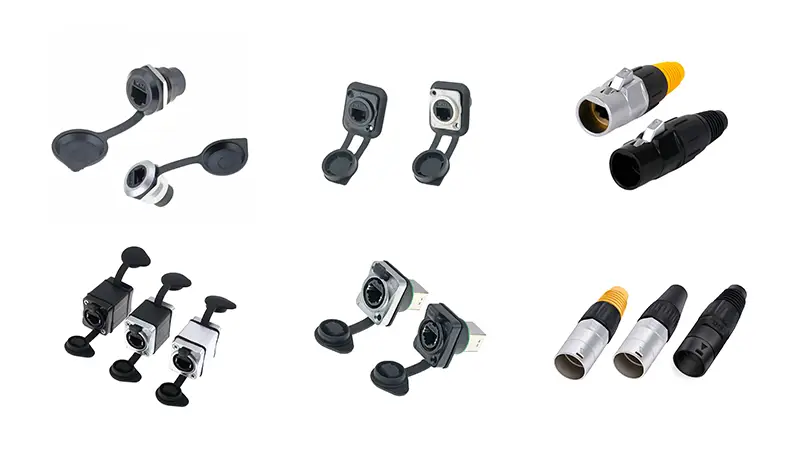
What is an RJ45 Waterproof Connector?
The RJ45 waterproof connector is a dedicated coupling device designed to protect Ethernet connections from environmental hazards such as water, dust, oil, and extreme temperatures. Unlike the standard plastic jacks common on indoor routers, these connectors feature a robust housing, rubber gaskets and screw locking mechanism.
They ensure that the fragile copper needles inside the cable remain dry and corrosion-free, maintaining high-speed data transmission even in the event of heavy rain or flooding.
Why do you need waterproof Ethernet protection?
Many users will ask: ‘Can’t I just wrap the joint with electrical tape? Although tape can provide temporary relief, it is not a long-term solution. Here’s why the investment-specific RJ45 waterproof connector is non-negotiable for outdoor settings.
1. Prevent Galvanic Corrosion
When the current (especially PoE or Ethernet power supply) flows through the copper needle in the presence of water, the galvanic corrosion will accelerate. This will cause the signal to be intermittent and eventually lead to a complete hardware failure. The sealed connector prevents moisture from entering as an electrolyte.
2. Physical Strain Relief
Outdoor cables are often affected by wind, vibration or accidental pulling. The industrial connector provides a rigid stress relief function to ensure that the cable is not pulled from the port, thereby protecting the integrity of the internal twisted pair.
3. Ultraviolet resistance and temperature resistance
Standard plastic clips become brittle under ultraviolet irradiation. The special RJ45 waterproof connector is usually made of UV-stabilized nylon (PA66) or zinc alloy to withstand extreme heat and cold without breaking.
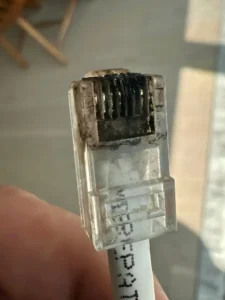
How to choose the best connector: 5 key features
When purchasing RJ45 waterproof connectors, not all models are the same. Look for the following five specifications to ensure you get the best protection.
1. Check IP level (IP67 vs. IP68)
Protection level (IP) is the most critical indicator.
- IP67: Dustproof and can withstand temporary immersion in water (up to 1 meter deep for 30 minutes). Suitable for rain.
- IP68: Dustproof, designed for continuous immersion under pressure. This is the gold standard for RJ45 waterproof connectors for marine or heavy industrial environments.
2. Shielding compatibility (STP vs. UTP)
If you use shielded Ethernet cable (STP/FTP) to prevent electromagnetic interference, your connector must also be shielded (metal casing or lined metal). The use of unshielded plastic connectors will destroy the grounding circuit and cause the shielding failure of the cable.
3. Transmission speed (Cat5e, Cat6, Cat7)
Ensure that the connector matches your cable category. The Cat5e coupler may become the bottleneck of the Cat7 network. Find Certified Connectors:
- Cat6/6a : Gigabit speed (1000 Mbps), short range up to 10 Gbps.
- Cat5e : Standard 100 Mbps to 1 Gbps.
4. Locking mechanism
The bayonet lock (rotating quarter turn) installs faster, while the thread lock provides tighter seals. For permanent installation, thread locking is usually preferred.
5. Material quality
- Nylon PA66: Light weight, UV resistance, no corrosion. Suitable for general outdoor use.
- Zinc alloy/metal: extremely durable, compressive, providing full shielding. Most suitable for factories or areas with heavy machinery.
Comparison: Standard RJ45 connector vs. Waterproof RJ45 connector
In order to help readers intuitively understand the differences, the following is the specification breakdown:
| Standard RJ45 connector vs. Waterproof RJ45 connector | ||
|---|---|---|
| Feature | Standard RJ45 Coupler | RJ45 Waterproof Connector |
| Water Resistance | None | IP67 or IP68 |
| Housing Material | Basic ABS Plastic | UV-Stable Nylon or Metal |
| Gasket Sealing | None | Silicone Rubber Rings |
| Strain Relief | Minimal | Integrated Compression Gland |
| Typical Use | Indoor Office/Home | Outdoor CCTV, Marine, Mining |
Step-by-step guide: How to install RJ45 Waterproof Connectors
Many users find the assembly confusing. Here is a simple workflow to answer this question: ‘How to assemble a waterproof Ethernet sealing sleeve?’
- Disassemble the connector: unscrew the nut, waterproof housing and sealing rubber.
- Through the cable: Before crimping the RJ45 crystal head, slide the clamping nut and rubber sealing ring onto the Ethernet cable (if you’re making your own cable). If it is a prefabricated cable, ensure that the connector is a ‘straight-through’ style.
- Insert the jack: Insert the RJ45 male head into the mother-to-mother coupler in the shell.
- Sealing washer: push the rubber washer into the claw of the shell.
- Tightening: Tighten the compression nut. The claw will compress the rubber sealing ring around the cable sheath to form an air-tight lock.
- Connect the device: Twist the main body to the interface of the supporting panel on the device (e.g. outdoor camera).
Professional tips: Before the connection, a small amount of dielectric grease is applied to the pin to add a layer of corrosion protection.
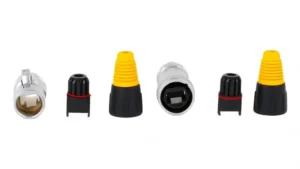
How to test and maintain RJ45 waterproof connector
Many users think that they can ‘once and for all’ after installing the waterproof connector, but the outdoor environment is cruel. In order to ensure a long-term stable connection, it is essential to perform correct testing and regular maintenance.
1. Key test steps after installation
Before you tighten the waterproof cover and leave the site, it must be confirmed that the connection is not only physically sealed, but also electrically conductive.
Use Cable Tester: Don’t judge only by the LED lights on the router. Check your Wiremap with a professional wireline tester. Ensure that all pins 1 to 8 are turned on. If you are using a shielded wire, make sure that the ground (G) is also on.
Wiggle Test: When the tester is running, gently shake the cable at both ends of the connector. If the signal light flashes or disconnects, it indicates that the crimping is not firm or the contact is poor.
2. Life-extending annual maintenance list
It is recommended to check outdoor network equipment at least once a year, especially after extreme weather seasons such as typhoons or blizzards.
Check the rubber sealing ring (O-Ring): This is the first line of defense. Over time, the rubber may dry or crack. If it is found that the sealing ring is hardened or cracked, please replace it immediately.
Look for signs of condensation: If you are using a transparent or translucent shell, observe whether there are water droplets inside. If there is fog, the seal fails. At this time, it is necessary to disassemble and clean up, reapply insulating silicone grease after drying and reassemble.
Cleaning contacts: If you must disconnect for maintenance, use 99 % Isopropyl Alcohol and cotton swabs to clean the RJ45 contact point to remove any possible oxide layer.
Re-tightening the nut: Thermal expansion and contraction caused by temperature changes may cause the plastic nut to become loose over time. Re-examine and tighten them with your hands to ensure that the grip (Claw) still grips the cable sheath tightly.
Common application scenarios of anti-wind and rain LAN connection
Where are these connectors actually used? The versatility of the RJ45 waterproof connector makes it a must-have in many industries.
Outdoor surveillance (CCTV)
Security cameras are often exposed to the natural environment. Connection failure means loss of video. Installers use these connectors at the camera wiring to ensure all-weather reliability.
Satellite Internet
The satellite antenna is installed on the roof. Cables extending from the antenna to the indoor router must pass through bad weather. RJ45 Waterproof connectors are often used to extend these dedicated cables or convert them to standard Ethernet.
Industrial automation
The factory is usually very humid, or there is a washing program, the equipment will be sprayed with water to clean. The waterproof coupler prevents short circuit between the PLC controller and the manipulator.
Oceans and ships
Seawater is extremely corrosive. On the ship, these connectors connect chart, radar and sonar modules to ensure that the navigation system does not fail in the storm.
Will the RJ45 waterproof connector affect the speed of the network?
No. As long as the connector ‘s rated value meets the cable category you use (such as Cat6) and the contact is clean, the impact on speed or delay is zero.
Can I use these connectors for Power over Ethernet (PoE)?
Yes. In fact, they are strongly recommended for PoE. Because PoE carries current, water seepage can lead to dangerous short circuits. Waterproof sealing is essential for safety.
Do you need tools to install them?
Usually not required. Most modern waterproof connectors are ‘tool-free’ in shell assembly and only need to be tightened by hand. However, if you want to make your own cable ends, you need a clamp.
For any cable that leaves the climate control room in a safe environment, the RJ45 Waterproof Connector is a small investment that provides significant protection.
By selecting connectors with the right IP rating (preferably IP68) and durable materials, you can ensure that your outdoor Wi-Fi, camera and industrial equipment stay online during rain and snow storms.
Don’t let a low-value part destroy a high-value professional equipment. Upgrade your connection today.