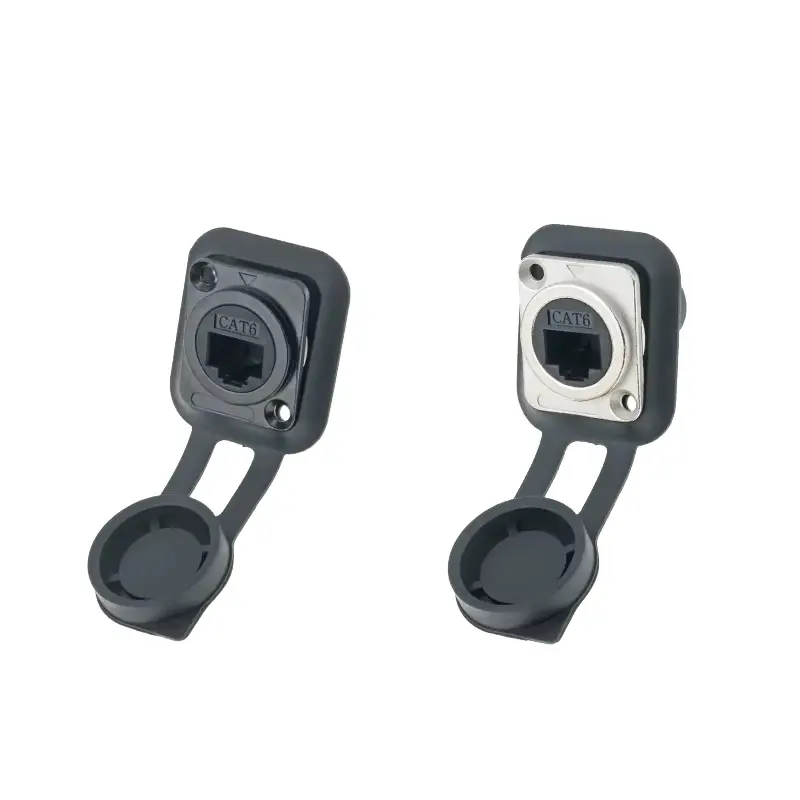
RJ45 waterproof connectors are essential for outdoor networks, shielding data links from harsh elements to ensure reliable connectivity.
Building a reliable network is mostly done indoors. Although standard Ethernet wires work perfectly in a well-controlled office, their functions will be weakened once they are exposed to the natural environment. Moisture, dust and temperature difference will destroy signal transmission within a few days. This is the reason why RJ45 waterproof connector has become an indispensable part of outdoor network facilities.
Whether it’s installing security cameras, setting up outdoor Wi-Fi access points, or managing industrial automation equipment, protecting data links is a must. RJ45 waterproof connector It can effectively prevent network contact point corrosion and avoid signal failure. In this guide, we’ll discuss the necessity of an Ethernet RJ45 water-resistant connector, from IP protection level to installation steps.
What is RJ45 Waterproof Connector?
The RJ45 waterproof connector is a dedicated Ethernet coupler or plug to prevent water, dust and debris from entering the connection port. Unlike standard plastic snaps, these connectors use rubber washers, spiral compression seal sleeves, and durable housings to form an airtight seal around the mesh.
These connectors ensure data transmission (usually Cat5e, Cat6 or Cat6a) and remain stable even in harsh environments. Through encapsulated gold needles and copper wires, the connector can prevent oxidation – which is the main cause of intermittent packet loss in outdoor networks.
Key components
Housing: Usually made of UV-resistant nylon (PA66) or die-cast metal.
Sealing Gaskets: Silicone or rubber O-rings that are compressed when tightened.
Strain Relief: Protective structure to prevent the cable from being pulled out of the terminal.
Locking Mechanism: A threaded coupling structure that prevents loosening due to vibration.
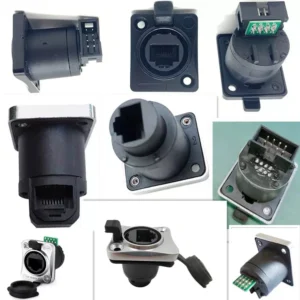
Why Do You Need A Waterproof Ethernet RJ45 Connector?
The standard Ethernet jack is ‘open’ design. If you use an ordinary jumper outdoors, humidity will eventually penetrate the inside of the twisted pair through subtle effects. Using a certified RJ45 waterproof connector can solve several key issues:
- Corrosion prevention: Water can cause electrochemical corrosion of the contact pins, which completely destroys the connection.
- Line protection: Moisture connected pins may damage POE (Ethernet powered) equipment.
- Durability: These connectors are resistant to ultraviolet light, which can make common cables brittle over time.
- Isolate sundries: in the industrial environment, conductive dust will interfere with the signal; sealed connectors can completely block these dusts.
Understand the IP Ratings of Connectors
When purchasing RJ45 waterproof connectors, you will encounter an ‘IP’ (Ingress Protection) rating. Here’s the level breakdown you should be looking for:
| IP protection level of the connector | |||
|---|---|---|---|
| IP Rating | Dust Protection | Water Protection | Typical Use Case |
| IP65 | Dust Tight | Water Jets (Low Pressure) | Under eaves, semi-sheltered areas. |
| IP67 | Dust Tight | Immersion (1m for 30 mins) | Direct rain exposure, buried lines. |
| IP68 | Dust Tight | Continuous Immersion | Underwater lighting, heavy industrial washdowns. |
| IP69K | Dust Tight | High-Pressure/High-Temp Jets | Food processing plants, sanitation. |
Ps: For most outdoor home networking and security settings, the IP65-rated RJ45 Waterproof Connector is the industry standard.
Types of RJ45 Waterproof Connector
Not all connectors have the same function. Choosing the right shape depends on your existing wiring.
- Panel installation socket
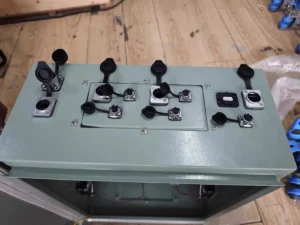
These are the bases directly mounted on the chassis of the device (such as an outdoor cabinet or a robot). Allows you to insert an external waterproof cable into the sealed box without opening the box.
- Line-to-line coupler
It acts as a’bridge’to connect two Ethernet cables outdoors. If the line pulled out of the house is not long enough to connect to the camera, you can safely extend it using a waterproof coupler.
- On-site assembly plug
Plug for connecting unprocessed cables. They come with a waterproof housing that slides over the RJ45 clip. This is ideal for cable lines of custom lengths, especially when you’re cutting cables from rolled spools.
How to Install RJ45 Waterproof Connector
If the seal is not tight, even the best connector will fail, which means that you need to know how to install correctly. Please go on the following steps to ensure that the on-site assembled connector is used for waterproof bonding.
Tools required: strippers, RJ45 clamps and your RJ45 waterproof connector kit.
Step 1: Disassemble the connector
Unscrew the compression nut, waterproof body and sealing sleeve. (The order of each component should be clearly seen)
Step 2: Threading
Before crimping anything, slide the components onto the Ethernet cable in the following specific order:
- Compression nut.
- Rubber sealing ring/rubber seal.
- Waterproof main housing.
Tip: Forgetting this step is the most common mistake. Once the RJ45 crystal head is crimped, you can no longer put on a waterproof shell!
Step 3: Terminal cable
Peel off the outer skin, arrange the wires according to the T568B (or T568A) standard, and press the standard RJ45 crystal head onto the cable. Use the network cable tester to verify connectivity.
Step 4: Assemble the shell
Push the crimped RJ45 head into the base or coupler until a ‘click’ is heard. The sliding waterproof shell fits with the joint.
Step 5: Seal and tighten
Push the rubber seal sleeve into the housing and screw down the compression nut tightly. When you tighten, the rubber sealing sleeve will compress the cable sheath to form a waterproof seal.
Common Application Scenarios
CCTV and IP cameras: Essentials for POE cameras mounted on the exterior wall.
Outdoor Wi-Fi Access Point: APs that connect the park, stadium, or backyard.
Digital signage: LED billboards exposed to rain and snow.
Marine electronic equipment: Salt fog is the main influencing factor of the onboard network.
Industrial automation: Factory workshops where water pipes are often used to flush machines.
Can I use a normal RJ45 connector outdoors?
No. Although it may be temporarily available, continuous humidity oxidizes the contact point, causing the speed to drop until it eventually fails. External lines must use RJ45 waterproof connectors.
Does waterproof mean it can be immersed in water?
Only when its level is IP68. The IP67 connector can handle temporary immersion, but for permanent underwater use, you need dedicated IP68 marine-grade equipment.
Will the waterproof RJ45 connector affect the network speed?
High-quality connectors do not affect speed. Make sure to purchase connectors that match your cable category (for example, Cat6 cables use Cat6 connectors) to maintain Gigabit speeds.
Do I need a shielded connector?
If you are wiring near the power cord or in high-interference industrial areas, use shielded cables and metal-shielded RJ45 waterproof connectors. For normal household use, unshielded plastics are usually sufficient.
Conclusion
Your network stability depends on its weakest link. In the outdoor environment, the physical connection point must be overcome. By investing in high-quality RJ45 waterproof connectors, you can ensure that rain, dust and corrosion don’t interrupt your data flow.
Whether you are extending the LAN cable to the workshop or installing a complex monitoring system, focusing on the IP protection level and the correct installation technology will save you time and money for future maintenance.